Free technician resources

Free flat rate tracking tools

However you do it, keep your own records.

Download a spreadsheet or printable log and track repair orders, jobs, and flagged hours on your own. No account. No Flat Rate Tracker required.

Downloads

Spreadsheet · .xlsx

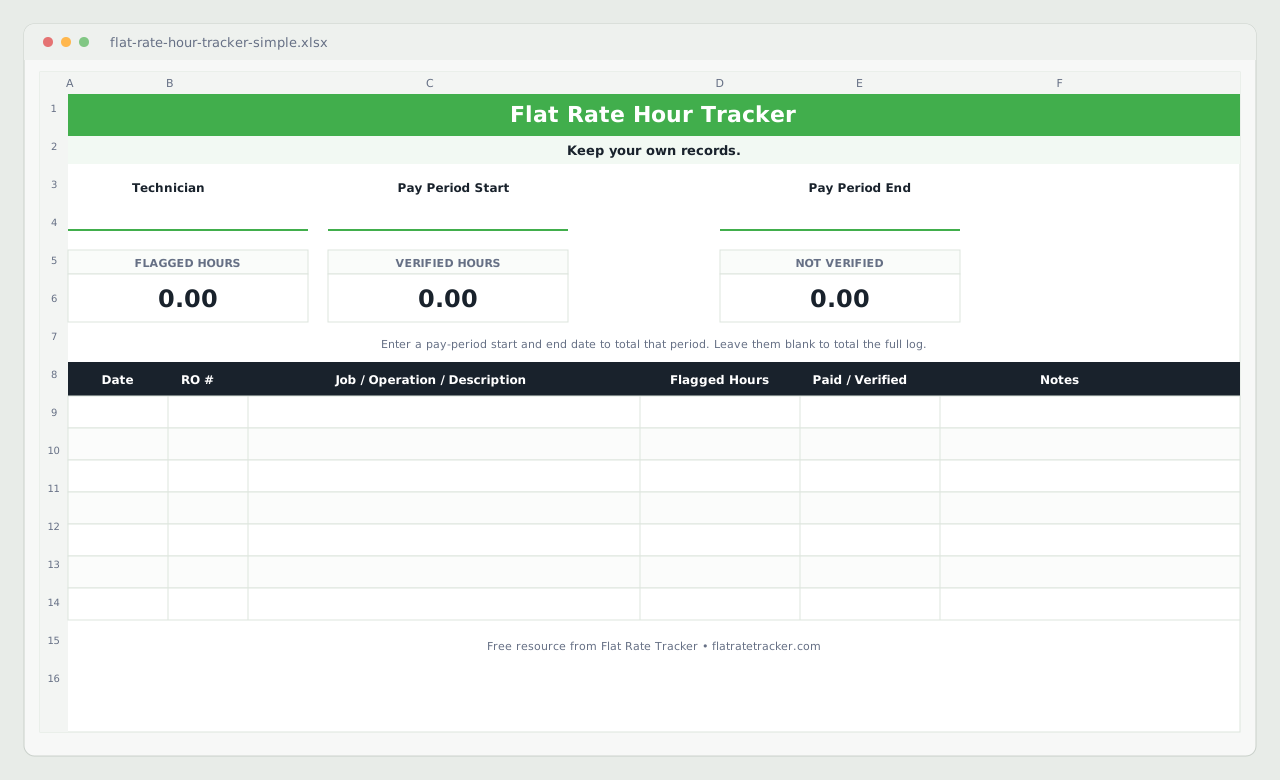
Flat Rate Hour Tracker

A spreadsheet for technicians who want digital totals without signing up for an app. Enter each job as you go, then use pay-period start and end dates to total that period — or leave the dates blank to total the full log.

Useful if you already live in Excel or Google Sheets and want automatic flagged, verified, and not-verified hour totals.

What it tracks

  • Technician name and pay-period start/end
  • Date, RO #, job / operation / description
  • Flagged hours, paid/verified (Yes/No), and notes
  • FLAGGED, VERIFIED, and NOT VERIFIED hour totals

How to use it

  1. Open the file in Excel, or upload it to Google Sheets.
  2. Fill in your name and, when you want a period total, the pay-period dates.
  3. Add one row per job. Mark Paid/Verified when the work clears payroll.

The download is an .xlsx file. It opens in Microsoft Excel and can be uploaded into Google Sheets.
Download spreadsheet
Preview of the Flat Rate Hour Tracker spreadsheet showing the green title bar, pay-period fields, FLAGGED VERIFIED and NOT VERIFIED totals, and job columns
Actual spreadsheet layout — empty template, ready to fill in.

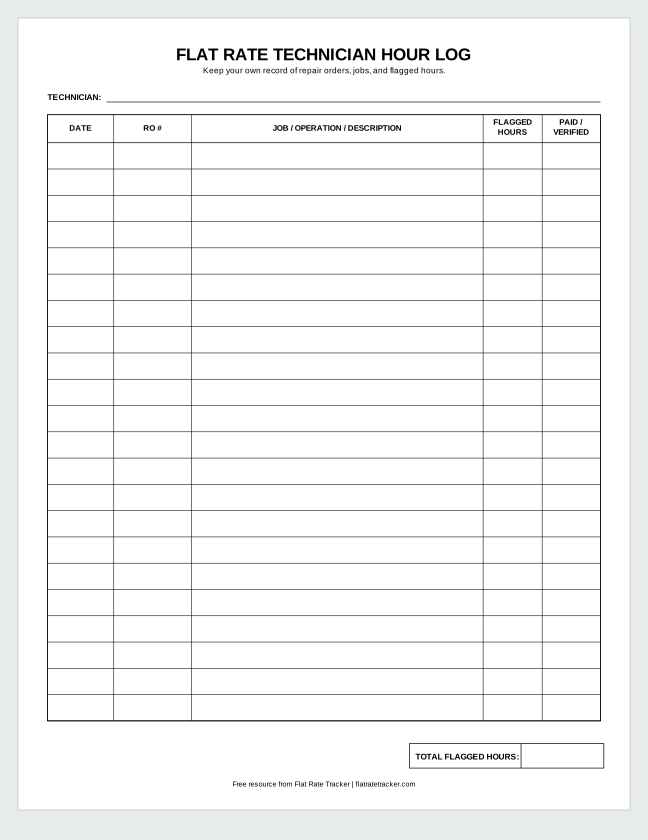
Printable PDF · letter

Flat Rate Technician Hour Log

A one-page printable log for a toolbox, clipboard, or desk. Write down the work as you finish it, then total the flagged hours by hand at the end of the period.

Useful if you prefer paper in the bay and do not want to open a phone or laptop between jobs.

What it tracks

  • Technician name
  • Date, RO #, job / operation / description
  • Flagged hours and paid/verified columns
  • Total flagged hours line at the bottom

How to use it

  1. Print the PDF (letter size).
  2. Write one line per job as you complete the work.
  3. At payday, add the flagged hours and compare with payroll.
Download printable hour log
Preview of the printable Flat Rate Technician Hour Log PDF with TECHNICIAN line, DATE RO JOB FLAGGED HOURS and PAID VERIFIED columns, and total flagged hours box
Actual printable form — blank letter-size PDF.

Why these tools exist

Your shop already has its records. A personal log — paper or spreadsheet — gives you your own history of ROs, jobs, and flagged hours when payday questions come up. For the basics of flag time, see how flag hours work.

When you want less bookkeeping

Want an easier way later?

The spreadsheet and printable log are genuinely free to use. If you eventually want faster entry, pay-period views, and history on your phone, Flat Rate Tracker apps are built for that. Start with a 14-day Pro or Team trial — no credit card required.

For a wider look at paper, spreadsheets, and apps, read the mechanic time tracking guide.

Keep records without the spreadsheet chore.

14-day Pro or Team trial. Cancel anytime.

Start free trial