Dashboard
Your pay period at a glance
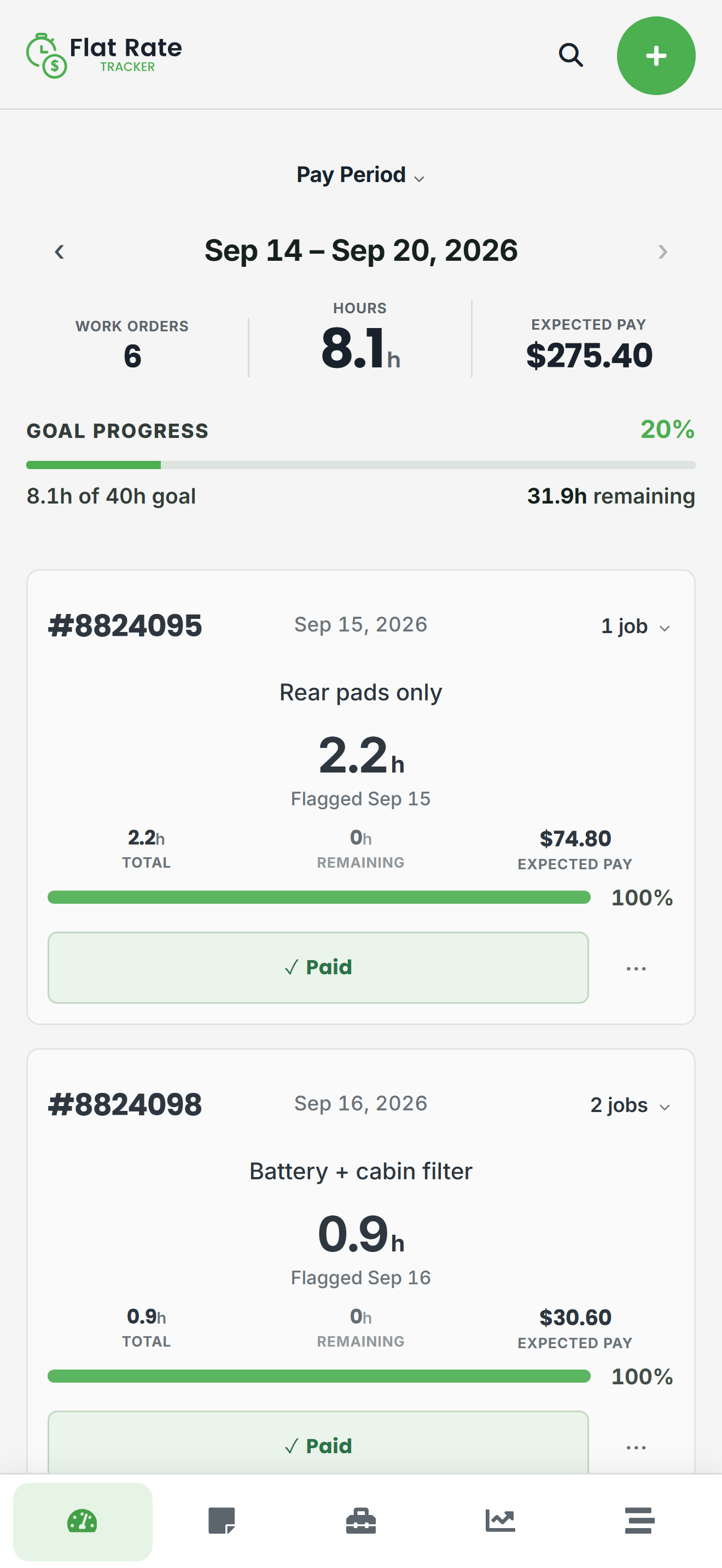
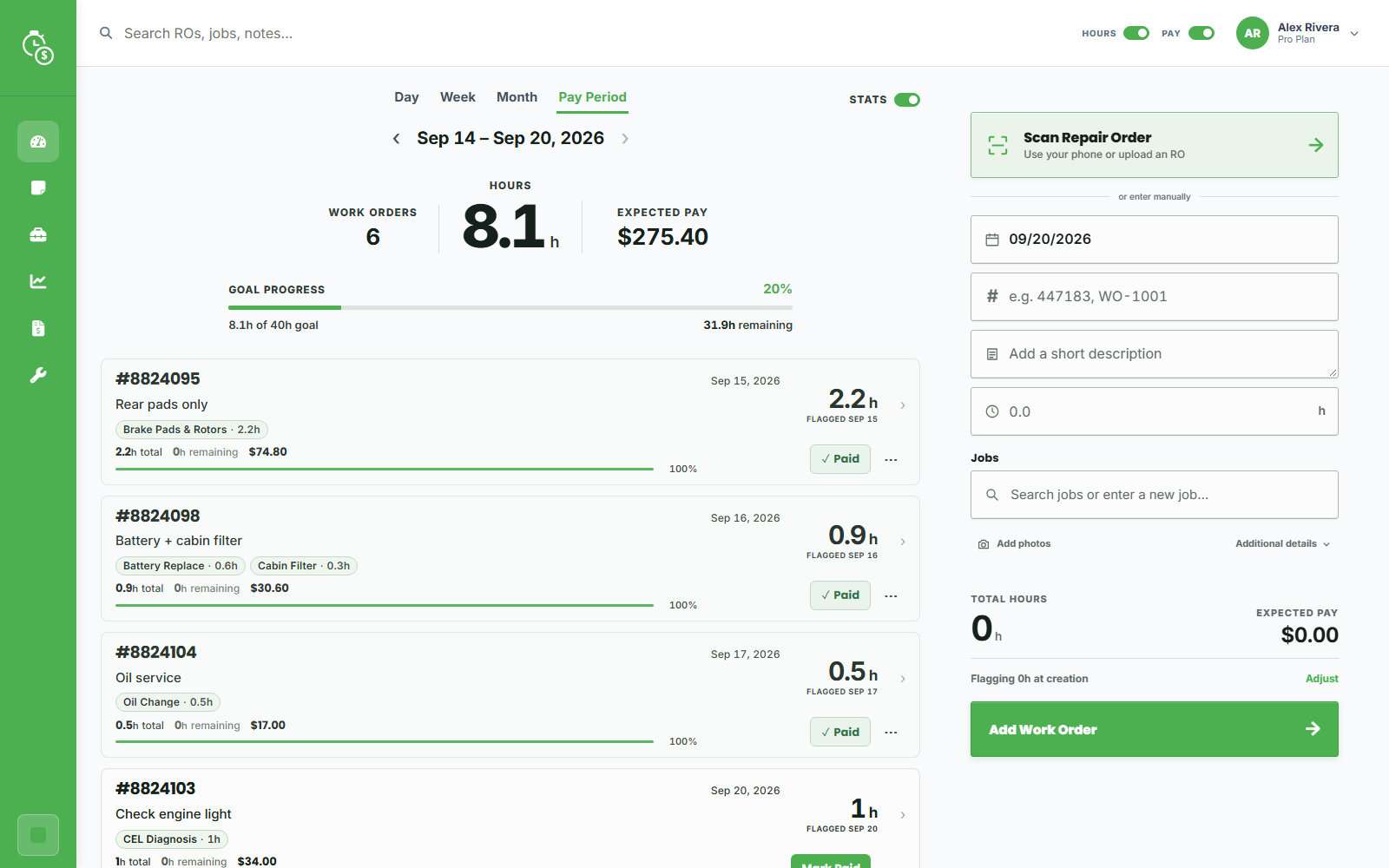
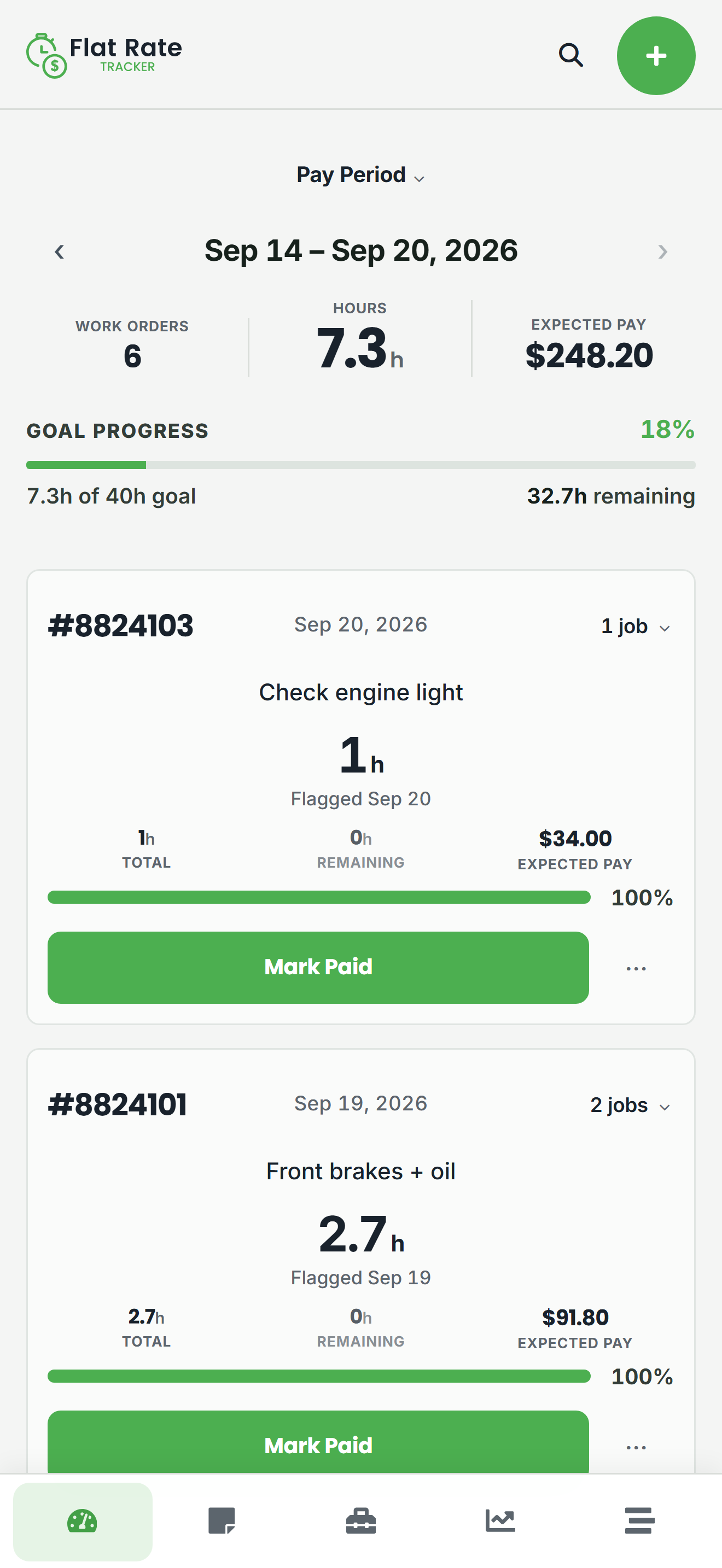
Open the app and see flagged hours, work orders, expected pay, and goal progress for the day, week, month, or your own pay period. Quick Add gets a repair order started without leaving the bay.

Built for flat-rate automotive technicians
Flat Rate Tracker is your personal log of repair orders, flagged hours, expected pay, and pay-period progress — so payday is a comparison, not a guess.
14-day Pro trial for personal plans, or 14-day Team trial. No credit card required.
On Android

Also on the web: Use Flat Rate Tracker in your browser
Independent records
The shop has its records. You should have yours.
Your shop's system is built for the business — not as your personal log of what you flagged. Repair orders change, jobs get held, and hours can land in a different pay period than you expected. Flat Rate Tracker does not replace that software. It gives you your own record of ROs, jobs, flagged hours, and expected pay so checking a paycheck is a comparison, not a guess.
How it helps
Log repair orders as you go. Flag hours by pay period — including partial flags when work spans paydays. See expected pay and goals before the check arrives. See the full feature list.
Dashboard
Open the app and see flagged hours, work orders, expected pay, and goal progress for the day, week, month, or your own pay period. Quick Add gets a repair order started without leaving the bay.
Work Orders
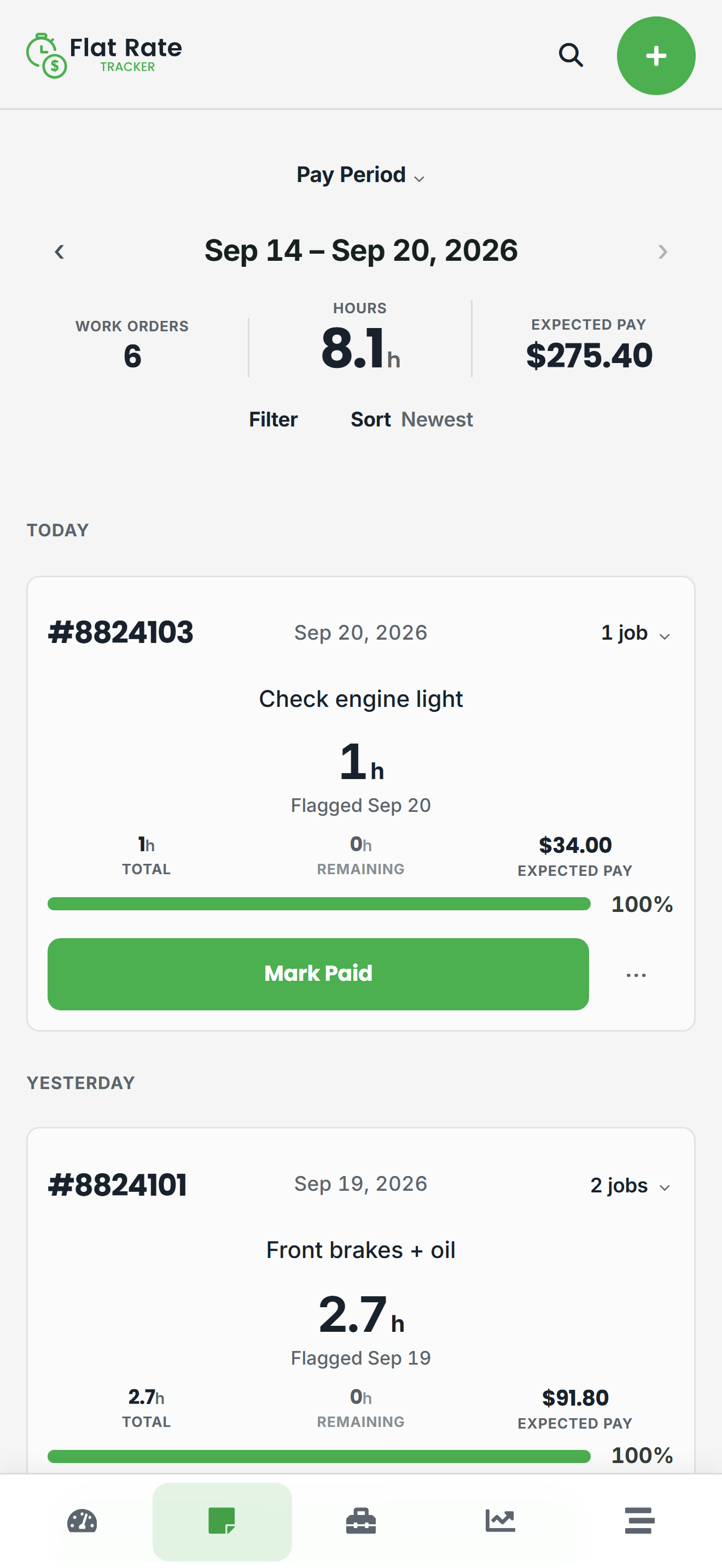
Search and sort repair orders by RO number, date, jobs, and paid status. Keep a history you can actually use when payday totals do not match what you flagged.
Work Order detail
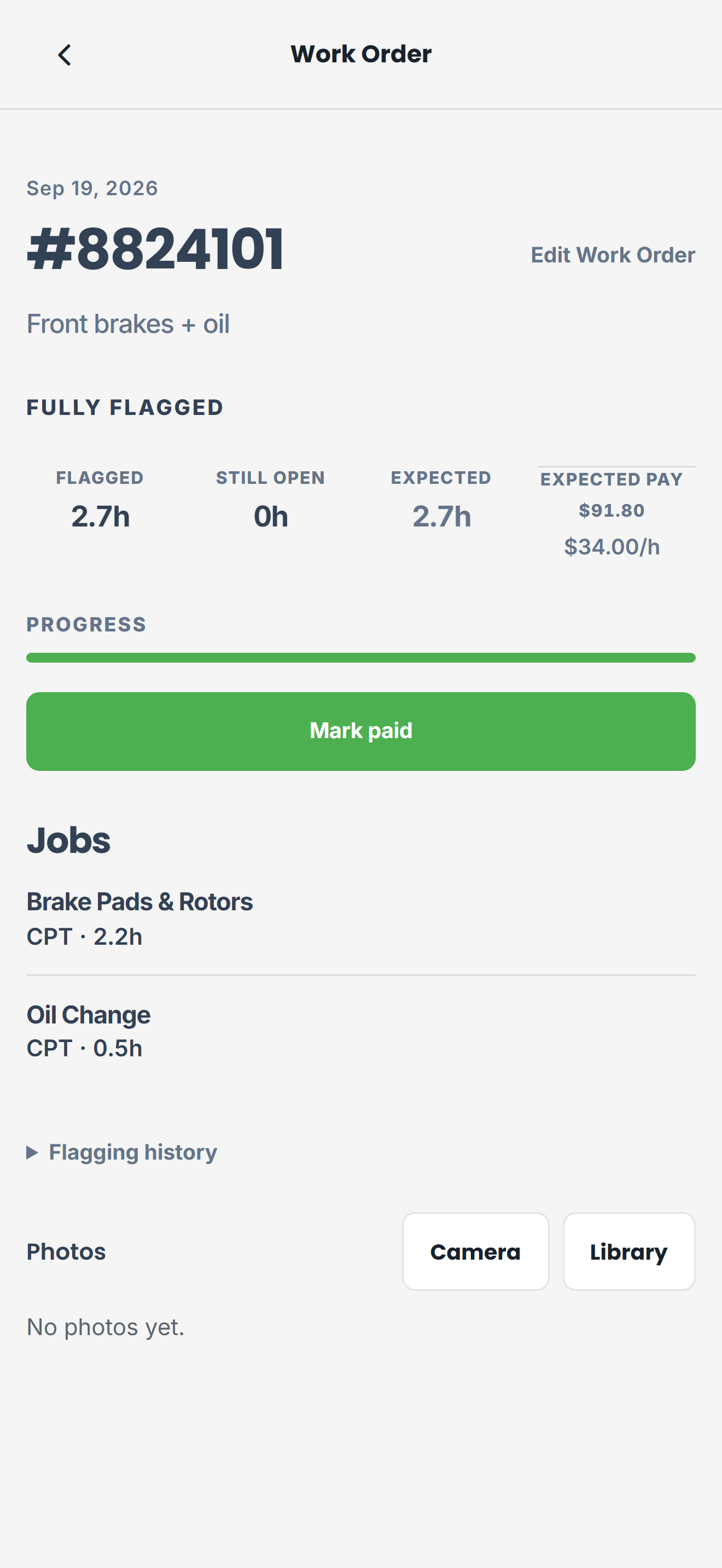
Attach the jobs that belong to an RO. Flag all or part of the hours, including across pay periods when work straddles payday. Mark paid or unpaid, and keep a clear flagging history on the work order.
Saved Jobs
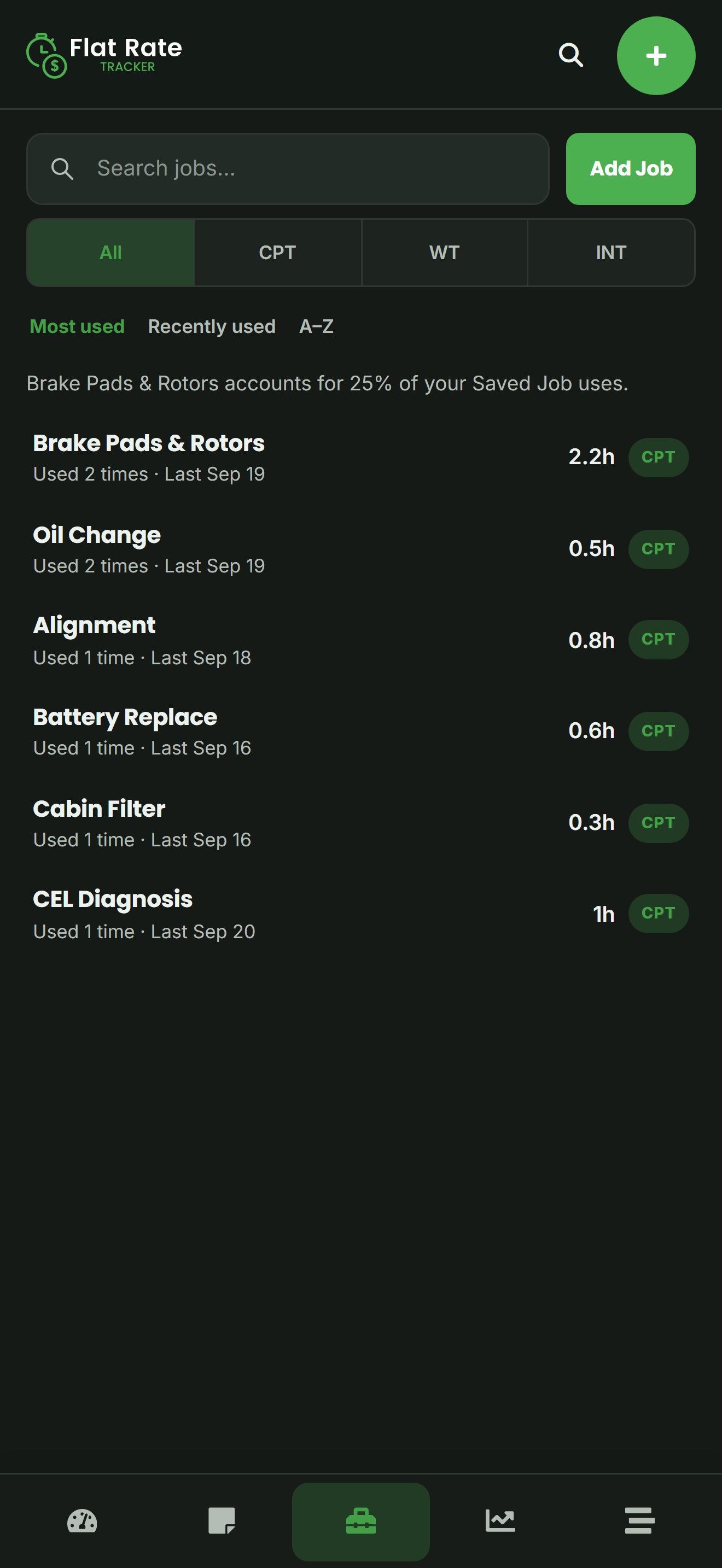
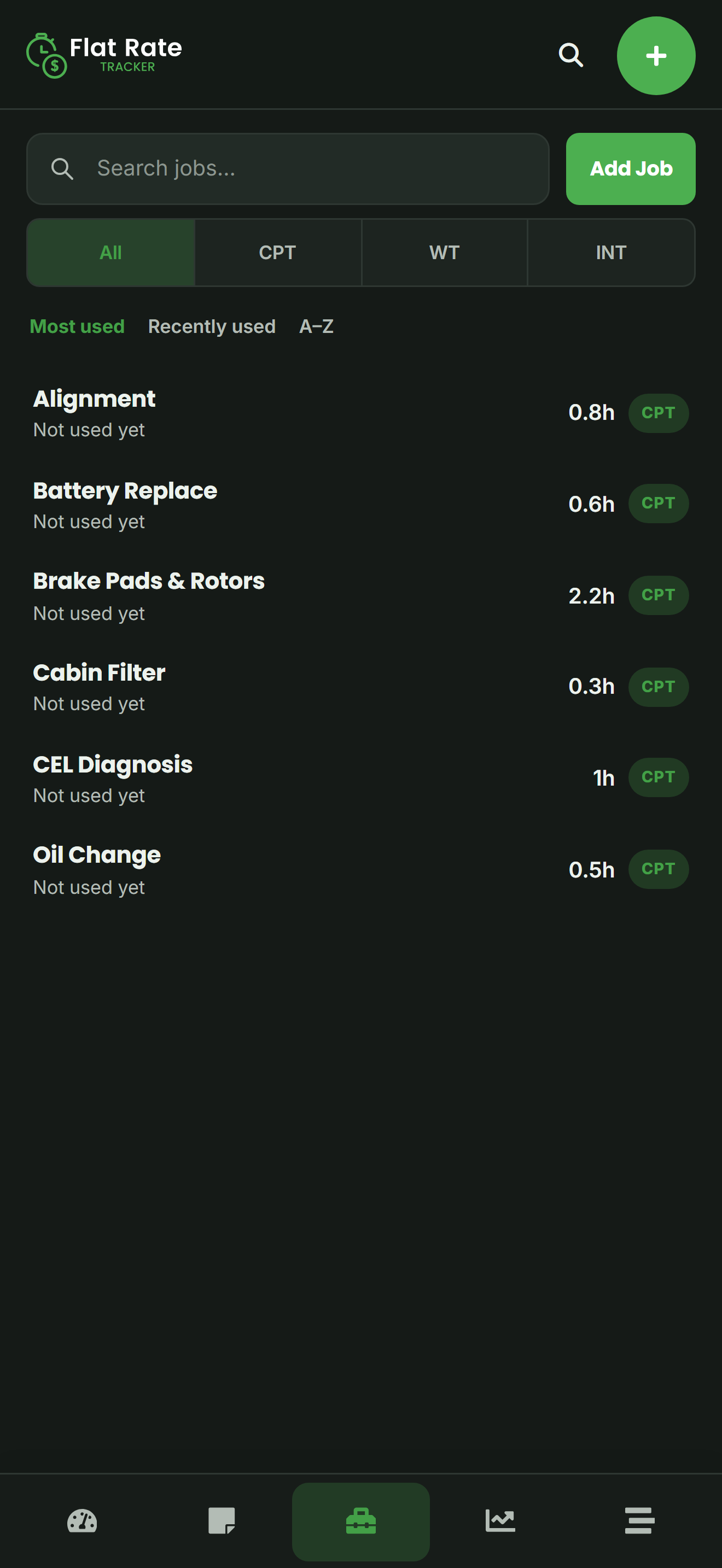
Save oil changes, brake jobs, diagnosis, and other common operations with labor times and pay types. Pull them onto a work order instead of retyping book time every time.
Reports
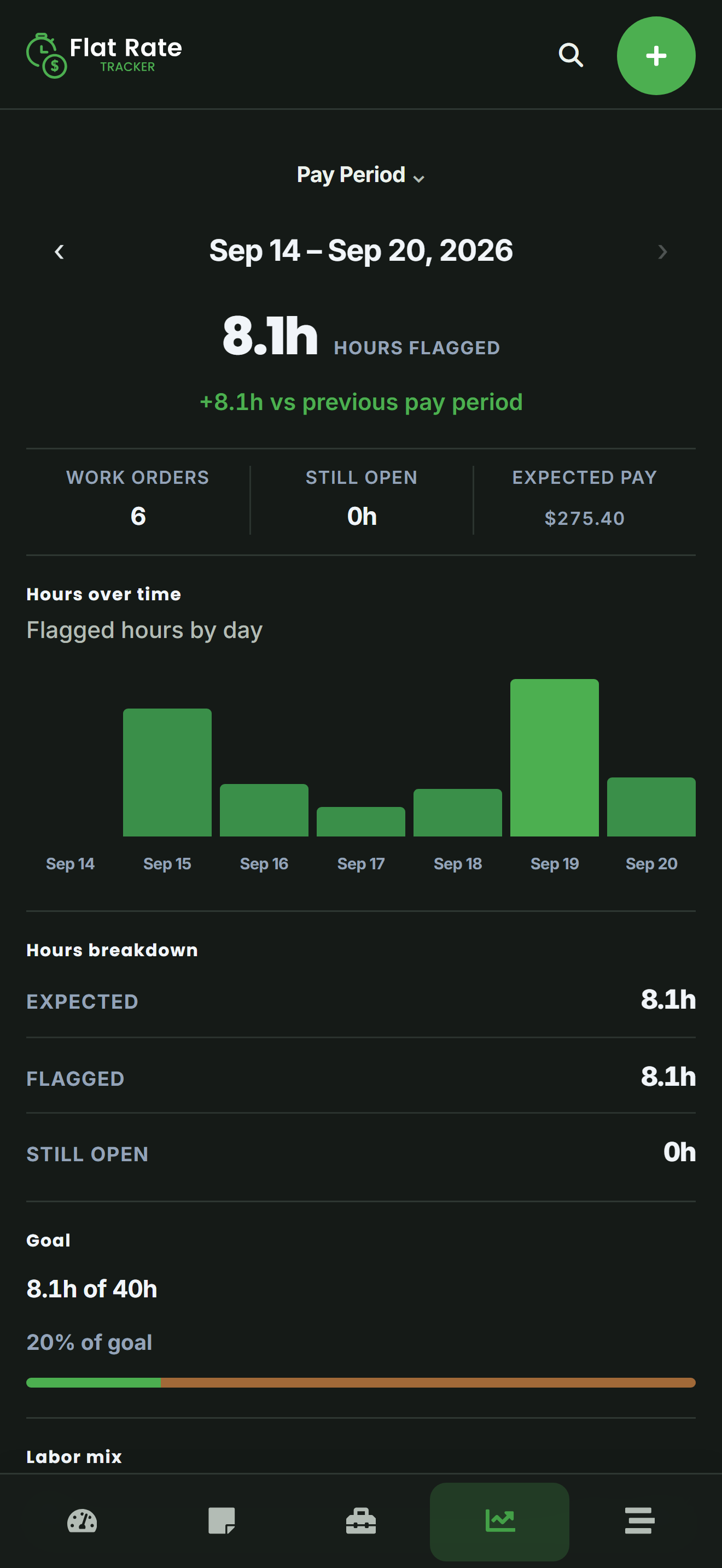
Reports show flagged-hour totals, work-order counts, daily averages, and expected pay for the range you choose. Use them to see where the period stands before payroll runs — not as a replacement for the shop's numbers.
Pro · Scan Repair Orders
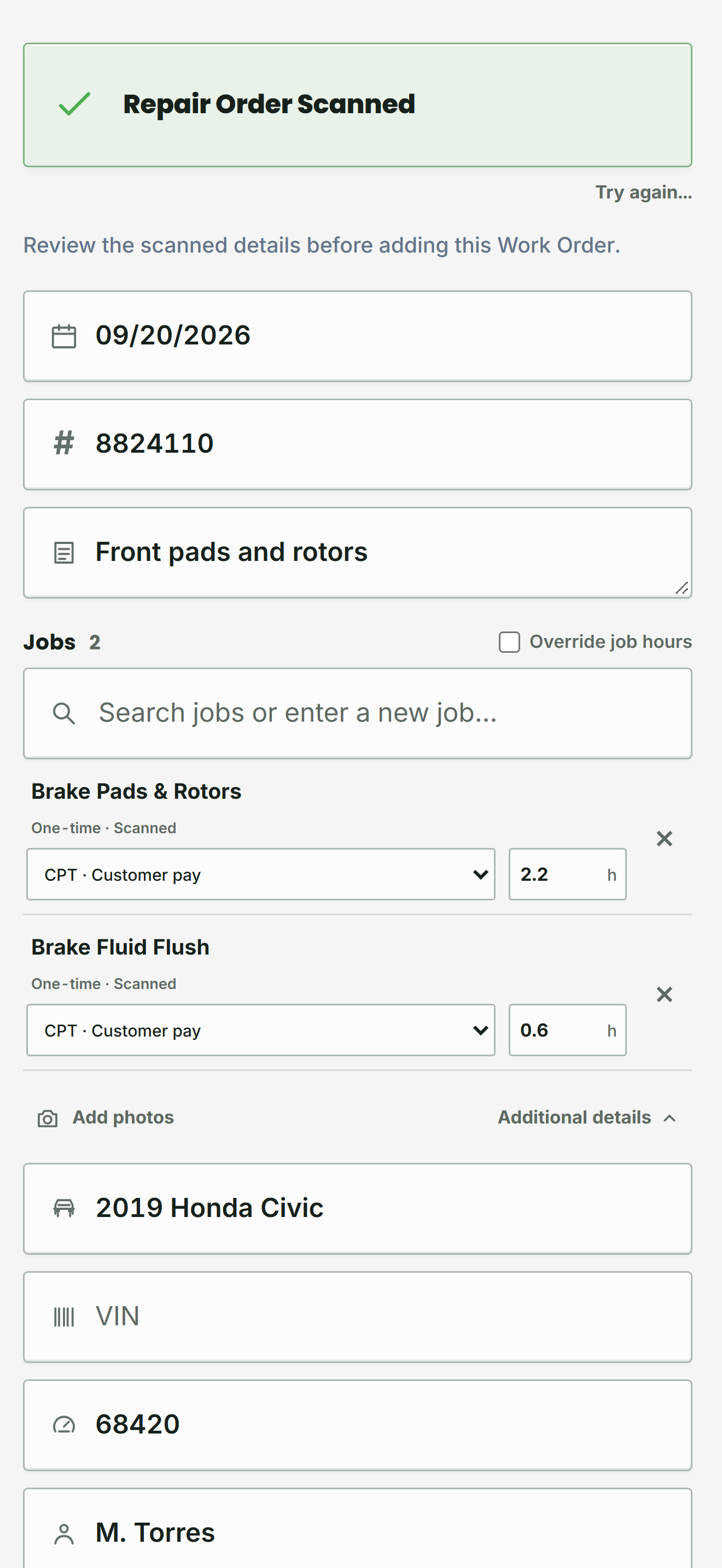
Take a photo or upload a repair order and Flat Rate Tracker builds an editable draft you review before saving. It is a faster start — not infallible automation. Hours are not flagged until you confirm the work.
Pro · PayTrack
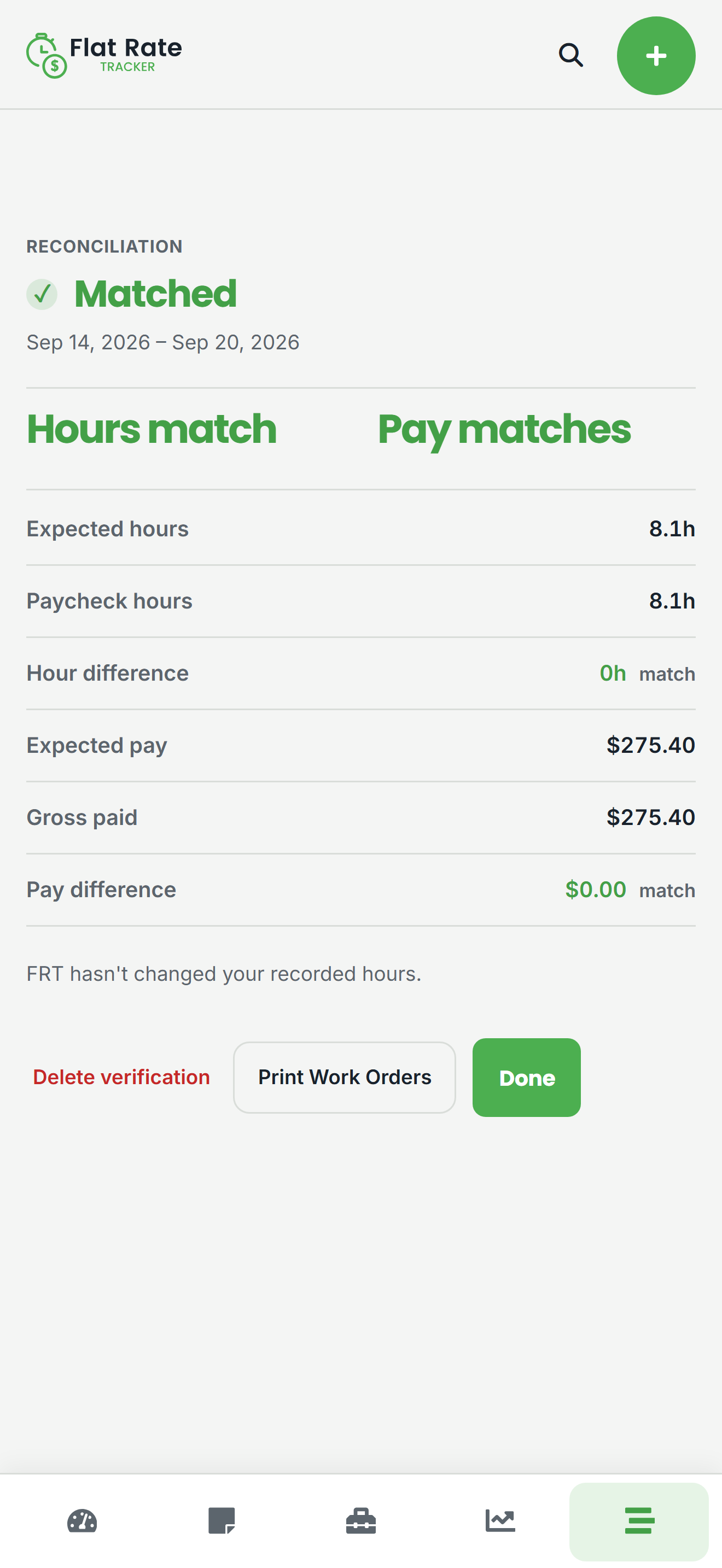
Enter paycheck hours and gross, then compare them to the work you flagged for that period. PayTrack helps you verify and reconcile — it does not change your flagged hours, and it does not guarantee the shop's payroll is correct.
Where you can use it
Flat Rate Tracker keeps your work synced across the web and Android. Use it from Google Play, or in a browser at the shop computer.
Simple pricing
Recurring Flat Rate Tracker subscriptions start at $3/month. Start with a 14-day Pro trial for personal plans, or a 14-day Team trial. No credit card required. Cancel anytime.
$3/month
or $25/year
Most popular
$6/month
or $50/year
$20/month
or $200/year
$40/month
or $400/year
$75/month
or $750/year
Prefer no subscription?
A standalone, offline app for the same core workflow — repair orders, saved jobs, flagged hours, expected pay, goals, and reports — kept on your device. No account for day-to-day use. No monthly bill.
Flat Rate Tracker One does not include Scan Repair Orders, PayTrack, Team, photos, or ToolTrack. Those stay with Flat Rate Tracker Pro and Team plans.
$9.99 once
On Android and iOS

Flat Rate Tracker if you want sync, web access, and Pro / Team features. Flat Rate Tracker One if you want a one-time, on-device app for the core workflow.
Flat Rate Tracker
Your records everywhere.
Account sync, web access, and Solo / Pro / Team plans on supported platforms.
Flat Rate Tracker One
Simple, local, offline.
$9.99 once. On-device records. No monthly bill.
| What you get | Flat Rate Tracker | Flat Rate Tracker One |
|---|---|---|
| Price | From $3/month (Solo–Team) | $9.99 once |
| Billing | Subscription plans from $3/month. 14-day Pro or Team trial | One-time purchase, no subscription |
| Your records | Synced across your signed-in devices | Stored locally on this device |
| Core tracking | Work Orders, Saved Jobs, flagging, expected pay, goals, reports | Same core tracking — Work Orders, Jobs, hours, pay, goals, reports |
| Scan Repair Orders | Pro and Team plans — photo or upload to an editable draft | Not included |
| PayTrack | Pro and Team plans — reconcile paycheck hours and pay | Not included |
| Photos & ToolTrack | Pro and Team plans | Not included |
| Team | Team 5 / 10 / 25 — roster, roles, and hours reporting | Not included |
| Web access | Yes — use it in a browser | No web app |
| Offline use | Needs a connection to stay in sync | Designed to work offline |
| Backup | Your account holds the history | On-device backup, restore, and CSV export |
| Where you can use it | Web and Android | Android and iOS |
Built for flat-rate technicians
Flat Rate Tracker was created by a working tech who was tired of chasing missing time, scribbled notes, and guessing every payday.
Instead of replacing your shop's software, it gives you your own log of repair orders, jobs, flagged hours, and expected pay. Simple enough to use in the bay. Detailed enough to check a paycheck.
Free tools
Whether you use Flat Rate Tracker, a spreadsheet, or pen and paper, a personal record of ROs, jobs, and flagged hours gives you something to compare against the shop's numbers.
Straight answers about what Flat Rate Tracker is — and is not.
No. Flat Rate Tracker is your personal log. It does not connect to the shop's system, and it does not require manager approval.
No. It runs alongside your shop's software. The shop system is for the dealership. Flat Rate Tracker is for you to track jobs, hours, and pay history.
Solo covers core tracking: work orders, saved jobs, flagged hours, expected pay, goals, and reports. Pro adds Scan Repair Orders, work-order photos, PayTrack paycheck reconciliation, and ToolTrack. Team plans include everything in Pro plus a roster, roles, and hours reporting for up to 5, 10, or 25 tracked technicians. Team billing is managed on the web.
On Pro and Team, you can photograph or upload an RO and get an editable work-order draft to review. It speeds up entry — it is not guaranteed perfect OCR, and hours are not flagged until you save and confirm the work.
PayTrack (Pro and Team) lets you enter paycheck hours and gross, then compare them to the work you flagged for that period. It is paycheck reconciliation and verification — not a guarantee that payroll is correct, and it does not rewrite your flagged hours.
Yes. You add individual jobs and attach them to work orders, so you can see both the RO totals and the jobs that built them. Saved Jobs let you reuse common operations with labor times.
You can view daily, weekly, monthly, and custom-range reports with flagged-hour totals, work-order counts, averages, and expected pay when you have a pay method set.
Flat Rate Tracker works in a browser and on Android from Google Play. Flat Rate Tracker One is available on Android from Google Play and on the App Store. See the apps page for downloads and web access.
Flat Rate Tracker One is a $9.99 one-time purchase with local, on-device data, backup/restore, and CSV export. It covers the core workflow without Scan RO, PayTrack, Team, or other Pro-only features. Details and download links are on the apps page.
Flat Rate Tracker does not share your jobs, work orders, or pay information with your shop. On Team plans, managers and owners see operational hours and activity for reporting — not pay rates, expected earnings, PayTrack, or photos. Flat Rate Tracker One keeps that data on the device. See the Privacy Policy for how account data is handled.
You can cancel a Flat Rate Tracker subscription anytime from your account settings. No contracts, no minimum term, and no hidden fees.
Your history stays in your records, giving you a backup of jobs and ROs for any payday discussion. A mismatch is a reason to review the details, not proof of bad intent.
Start with a 14-day Pro or Team trial — no credit card required. Or get Flat Rate Tracker One for $9.99 once.
Start free trial